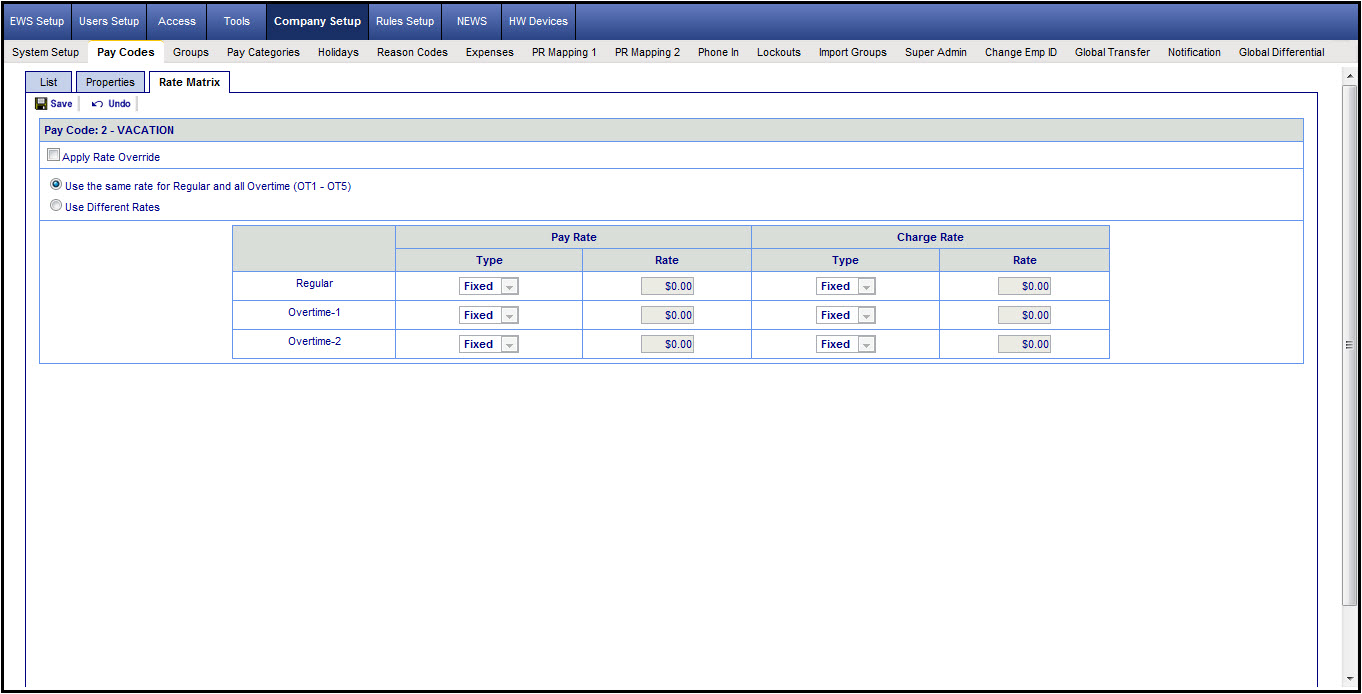
The Pay Codes>Rate Matrix page is used to configure pay rates that are specifically associated with the pay code (continued below).
The Pay Codes>Rate Matrix page is used to configure pay rates that are specifically associated with the pay code. This feature is normally not used for companies using standard pay rules.
Follow the steps below to use this feature:
Select a Pay Code, say Work Hour to activate the Rate Matrix feature.
Click on Apply Rate Override.
The following option are available:
Use the Same Rate for both regular and overtime: If this is activated, you will only be able to choose ONE rate for the selected pay code, and your employees assigned with this pay code will be paid with the same rate. For each pay rate, you may click on all the available rates or enter a fix hourly rate. For example, If you choose Rate 1, the Rate 1 in each applicable employees will be used (setup in the Employee Management: Pay Profile tab, Pay Rates sub-tab).
Use different rates: If this is activated, you will have options to assign a pay rate for Regular hours worked, a separate pay rate (Rate 1, Rate 2, …, or Fix Rate) for overtime-1, another pay rate for overtime-2, etc. In one scenario, in case your company compensates some of your employees differently for overtime-2 and you do not want to show the amount in overtime-2 being accumulated for these employees on the reports (and still wants to see the overtime-2 hours), you may assign a pay rate that is of $0.00 for these employees in their Pay Rate (via Employee Management: Pay Profile tab, Pay Rates sub-tab).